Profile backup and restore
Move Windows user profiles with guided backup and restore wizards, smart filtering, AES-256 encryption, NTFS permission handling, screenshot settings, and BitLocker key capture.
Backup, diagnostics, app migration, cleanup, network, imaging, email, and AI workflows in one portable Windows app.

Start with the work in front of you: migrate profiles, test hardware, deploy apps, inspect networks, recover email data, build media, and document the job.
Move Windows user profiles with guided backup and restore wizards, smart filtering, AES-256 encryption, NTFS permission handling, screenshot settings, and BitLocker key capture.
Check SMART disk health, collect system details, run CPU, disk, and memory tests, stress-test hardware, monitor thermals, and export HTML, JSON, or CSV reports.
Scan installed apps, match Chocolatey packages, bulk-install software on new PCs, build offline bundles, download direct installers, and remove applications with leftover scanning.
Review installed software against current vulnerability sources including CISA KEV, NVD, GitHub Advisories, and OSV, then keep technician findings tied to the app management workflow.
Flash ISO and IMG files, build Windows install media from UUP payloads, and download Linux ISOs from the built-in distro catalog for field deployment jobs.
Organize files by extension, find duplicates with parallel hashing, and search content with regex, EXIF, metadata, archive, binary, and hex modes.
Run ping, traceroute, MTR, DNS, port scan, bandwidth, adapter inspection, WiFi analysis, WiFi QR management, firewall, route, and network reset tools from one panel.
Browse PST, OST, and MBOX archives without Outlook, search mailbox contents, preview messages, browse attachments, export EML, CSV, VCF, and ICS data, and convert OST or PST files.
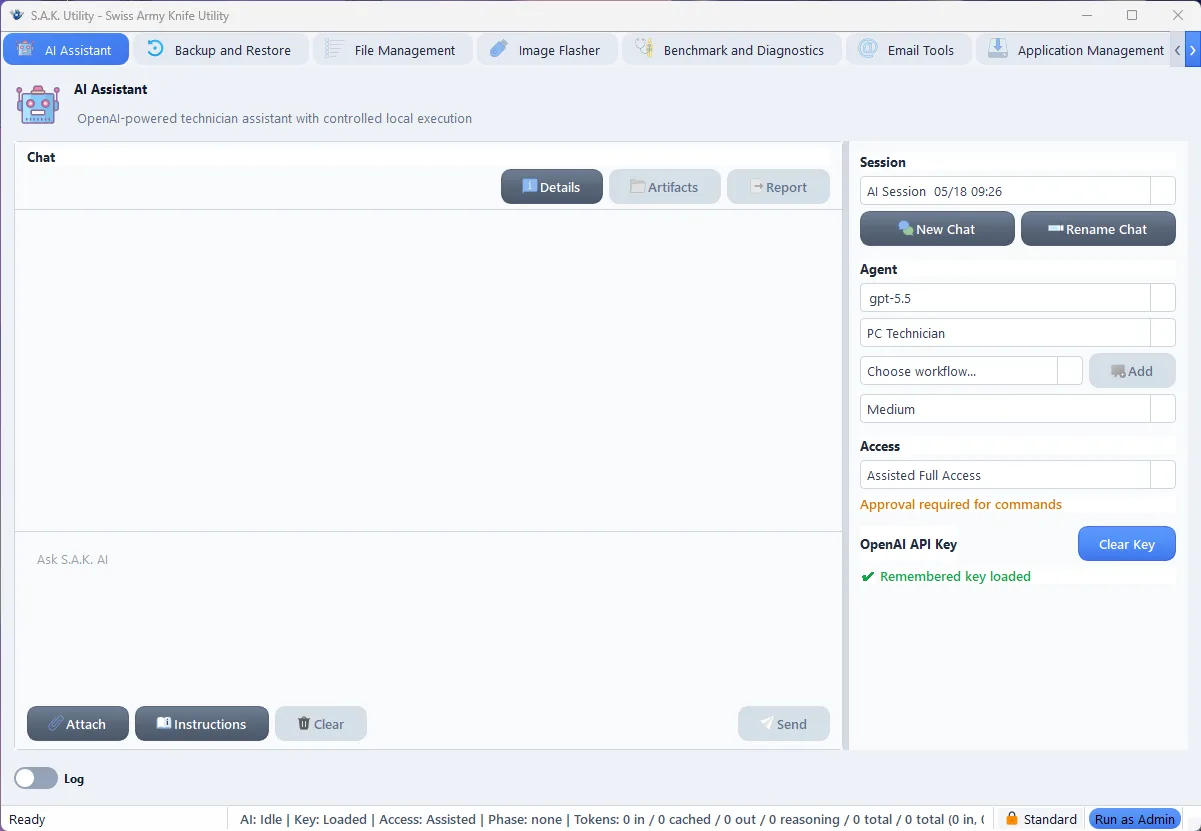
Use a Codex-style assistant for technician chat, evidence collection, approved local actions, workflow orchestration, reports, artifacts, and session context under explicit controls.
Run as a standard user by default, elevate per task through UAC, store AI credentials with Windows DPAPI, and keep transcripts, screenshots, downloads, reports, and artifacts under portable app data.
S.A.K. Utility targets Windows 10 1809 or newer and Windows 11 on x64 hardware. It runs as a standard user, then prompts for UAC only when a task needs elevation.
Back up profiles, collect BitLocker keys, export app lists, install common software, and restore user data.
Check disk health, inspect events, run benchmarks, test memory, review startup load, and build a handoff report.
Carry the portable ZIP on USB, build offline app bundles, flash boot media, and use local tools without installing a suite.
Search messy folders, remove duplicates, inspect mail archives, export mailbox data, and collect evidence for customer notes.
S.A.K. Utility groups technician jobs into focused panels, so the tool you need is usually one click away.
Use the OpenAI-powered assistant to perform technician workflows, attach instructions and skills, execute approved local actions, and generate artifacts or reports under explicit access controls.
Short answers for people comparing portable technician tools, Windows diagnostics utilities, and app migration helpers.
S.A.K. Utility is a portable Windows repair toolkit for PC technicians, IT pros, and sysadmins. It combines backup and restore, diagnostics, app migration, cleanup, network tools, image flashing, email archive tools, and AI-assisted workflows.
No. Download the Windows x64 ZIP from GitHub Releases, extract it anywhere, and run sak_utility.exe. It is designed to work from a USB drive, desktop folder, or network share.
S.A.K. Utility targets Windows 10 1809 or newer and Windows 11 on x64 hardware. Minimum requirements are 4 GB RAM and about 500 MB of disk space plus working room.
Official downloads are hosted on GitHub Releases. Use the latest Windows ZIP, compare it with SHA256SUMS.txt, and check the file signature from Windows file properties when needed.
Download S.A.K. Utility and carry the repair bench on a single USB stick.